AI画像生成では、「どんなプロンプトを書けば理想のイラストになるの?」と悩む方も多いのではないでしょうか。
最近では、イラストそのものだけではなく、AIツールの画面や比較画面まで画像として作れるプロンプトも注目を集めています。
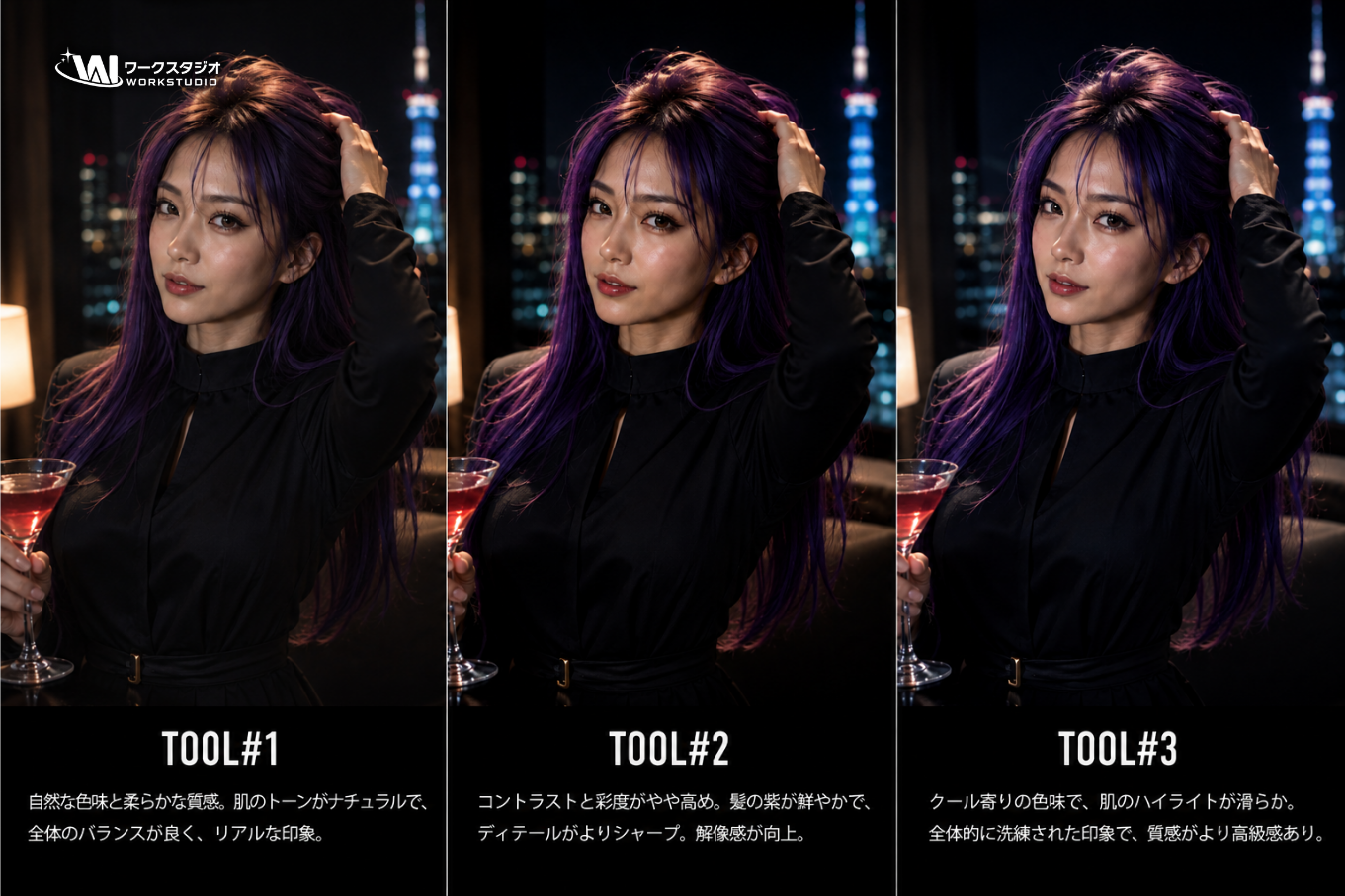
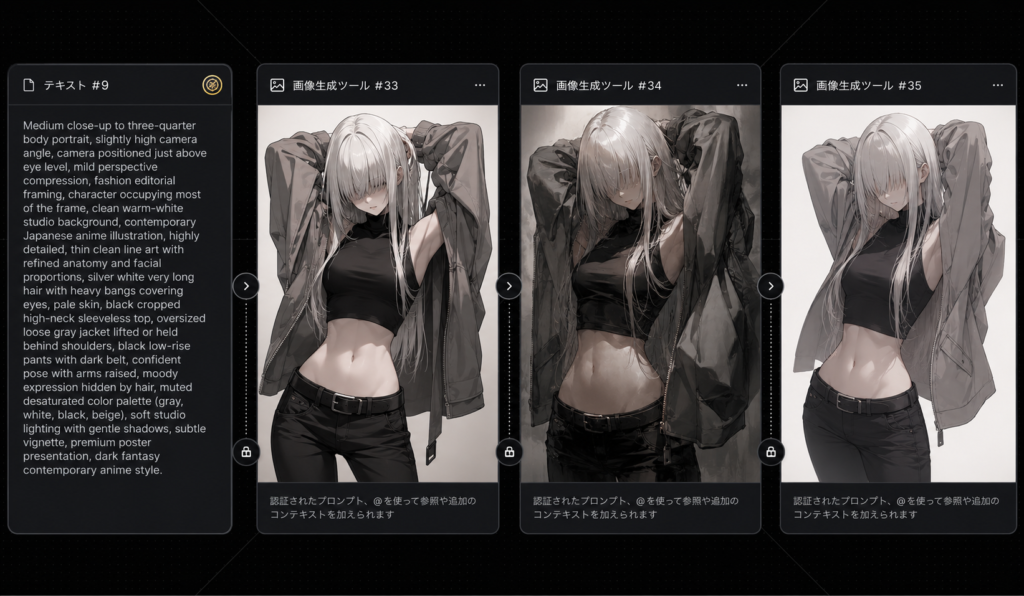
今回ご紹介するのは、まるで画像生成サービスの比較画面をスクリーンショットしたような、スタイリッシュな「アニメモデル比較ダッシュボード」を作成できるプロンプトです。
ダークUIの中にプロンプトカードと3種類の生成結果を並べることで、実際に複数モデルを比較しているような雰囲気を演出できます。SNS投稿やブログのアイキャッチ、AI作品の紹介画像などにも活用しやすいデザインです。
もちろんキャラクターやレイアウトの指定を書き換えれば、自分だけの比較UIを作ることもできます。
比較画面まで描けるだもね!
使うAIはChatGPT
今回使用するのは ChatGPT Images 2.0 です。
ChatGPT Images 2.0は、イラストだけでなくUIデザインや画面レイアウトの再現も得意としています。
今回のような「カードを横一列に並べる」「ダークテーマの画面を作る」「細かなレイアウトを維持する」といった複雑な指示にも対応しやすく、比較画像のようなデザイン制作との相性も良好です。
また、長文プロンプトでも構図や配色、UIパーツまで細かく解釈してくれるため、デザイン資料風の画像やモックアップ風イラストを作りたい方にもおすすめできます。
次は実際に使用するプロンプトと、活用する際のポイントを紹介していきます。
次はいよいよ本編なも!
実際にプロンプトを使ってみよう
Goal: Create a dark, widescreen AI image-comparison interface showing one source prompt card and three generated-image result cards, like a model comparison board for anime artwork.
Canvas: 16:7 horizontal screenshot-style composition on a nearly black background with faint dotted grid texture and subtle diagonal guide lines. Use soft glow, rounded panels, thin gray borders, and a polished dark UI aesthetic.
Layout: Arrange exactly 4 rounded rectangular cards in one row from left to right. Card 1 is a narrow text prompt card; cards 2, 3, and 4 are larger vertical image cards. Leave small gaps between cards. Each card has a tiny header line at the top with a small icon and Japanese-style label. Add a small gold coin-like icon near the top-right of the first card area. Add small circular connector or action buttons between the cards, aligned vertically around the middle and lower edge.
Card count and contents: Exactly 4 visible cards total: 1 text card and 3 image result cards. The 3 image result cards each show the same subject rendered slightly differently: an anime-style young woman with very long silver-white hair and bangs covering her eyes, pale skin, a black cropped sleeveless top, black pants, and an oversized loose gray jacket lifted or held behind her shoulders. Her pose is confident and fashion-editorial, with arms raised behind her head or jacket spread open. The palette is desaturated gray, white, black, and muted beige.
Text card: The first card header reads approximately “テキスト #9”. Inside it, include a dense English prompt in small white text describing an anime close-up portrait: “Medium close-up to three-quarter body portrait, slightly high camera angle, camera positioned just above eye level, mild perspective compression, fashion editorial framing, character occupying most of the frame, clean warm-white studio background…” Continue with compact prompt-style text about contemporary Japanese anime illustration, thin line art, refined facial proportions, silver white hair, high crop black top, oversized jacket, muted/desaturated colors, soft shadows, vignette, premium poster presentation. Keep text small but legible-looking, not necessarily fully readable.
Image card headers: Label the three result cards with Japanese-style headers: “画像生成ツール #33”, “画像生成ツール #34”, and “画像生成ツール #35”. At the bottom of each image card, add a faint Japanese status caption in white/gray, similar to “認証されたプロンプト、@を使って参照や追加のコンテキストを加えられます”.
Subject details: The character has silver-white very long hair with heavy bangs obscuring the eyes, a slim athletic waist, pale skin, and a moody expression mostly hidden by hair. Outfit consists of exactly 4 main pieces: black cropped high-neck sleeveless top, oversized gray jacket, black low-rise pants, and dark belt. Render the images in a dark fantasy contemporary anime look with clean yet painterly detail.
Visual style: Dark fantasy anime fashion, muted monochrome palette, soft studio lighting, editorial composition, slight vignette, high contrast between white hair and black clothing, crisp UI screenshot presentation. The first generated image should look sharp and classic anime, the second slightly more painterly and shadowed, the third cleaner and more minimal with a bright pale background.
Constraints: Show exactly 4 cards and exactly 3 anime result images. Do not add extra characters, logos, watermarks, browser chrome, or unrelated UI. Keep the overall image as a comparison dashboard rather than a single illustration.
ここでは実際にプロンプトをChatGPT Images 2.0へ入力して生成してみましょう。
今回のプロンプトは比較ダッシュボード全体の構図だけでなく、カードの枚数や配置、キャラクターの服装、背景色まで細かく指定されています。
そのため、一部分だけ変更すると全体のバランスが崩れる場合があります。まずはそのまま入力して完成形を確認するのがおすすめです。
生成結果を見てから、キャラクターやカード名、配色などを少しずつ変更すると、自分だけの比較ダッシュボードへ発展させやすくなります。
まずはそのまま試すだも!
アレンジも楽しめる
このプロンプトの魅力は、比較画面というコンセプトをそのまま活かしながら自由にアレンジできることです。
例えば、キャラクターをオリジナルキャラへ変更したり、ファンタジー・サイバーパンク・制服などテーマを変更するだけでも印象が大きく変わります。
- カードの配色をライトテーマへ変更する
- 画像カードを風景写真やモンスターに変更する
- 比較する画像数をテーマに合わせて調整する
- UIを未来的・ゲーム風デザインに変更する
特に作品紹介用のサムネイルやAIイラスト集の表紙としても映えるため、SNS投稿との相性も抜群です。
自分色に変えるとなお楽しいなも!
まとめ
今回ご紹介したプロンプトは、AI画像生成サービスの比較画面をそのままイラストとして表現できるユニークな内容でした。
通常のイラスト生成とは違い、UIデザインとキャラクターイラストを組み合わせることで、実際のアプリ画面のような完成度を楽しめます。
ChatGPT Images 2.0は、このような複雑なレイアウト指定やデザイン表現にも対応しやすいため、アイキャッチ画像や作品紹介用のビジュアル制作にもぴったりです。
ぜひ今回のプロンプトを試して、自分だけのアニメモデル比較ダッシュボードを作成してみてください。
完成が楽しみになるだも!
合わせて読みたい
こちらの記事では、画像を落書き風イラストに変換できるプロンプトを紹介しています。