最近のAI技術の進化、本当に目覚ましいですよね。これまでプロのデザイナーでなければ難しかったような美しいビジュアルも、今では「言葉」を入力するだけで簡単に作れるようになりました。
そして今回ご紹介したいのが、思わず「え、これ本当にAIで作ったの?」と驚いてしまうような――
超リアルな“3D旅ガイドマップ”です。
実はこのクオリティの地図、
NanoBanana2を使えば、プロンプトひとつで生成できてしまうんです。

こんな地図が作れるなんて驚きだも…!
まるでミニチュアの世界を切り取ったような立体感に、観光地や街並みがぎゅっと詰まったインフォグラフィック。見ているだけで、その国を旅している気分になりますね。
しかも特別なデザインスキルは不要で、誰でも再現できるのが魅力です。
今回は、そんな「言葉から地図を生み出す体験」を、わかりやすくご紹介していきます。ちょっと試してみたくなりませんか?
NanoBanana2って何?
今回の3D地図づくりで活躍するのが、NanoBanana2というAIツールです。
名前だけ聞くと少しユニークですが、実はとても高性能。
GoogleのAI「Gemini」に搭載されている、最新の画像生成機能のひとつなんですね。
このNanoBanana2のすごいところは、ただ画像を作るだけではなく、
細かい指示をしっかり理解して“完成度の高いビジュアル”を作れることです。
たとえば今回のような3D地図では、
- 建物の立体感や質感
- 街並みの細かいディテール
- 情報が整理された見やすいレイアウト
といったポイントが重要になりますが、NanoBanana2はこれらをバランスよく表現するのが得意です。
つまり、
「なんとなく綺麗」ではなく、“ちゃんと使える・見て楽しい地図”を作れるツールというわけですね。
専門的な操作はほとんど必要ありませんので、初めての方でも安心して使えますよ。

さっそく使ってみるなも!
コピペOK!誰でも使える魔法のプロンプト
ここからが本題です。
この3D地図を作るためのポイントは、プロンプトの設計にあります。
とはいえ難しく考える必要はありません。構成はとてもシンプルです。
プロンプトの基本構成
以下の要素を組み合わせるだけでOKです:
- 地形:山・海・都市などのベース
- ランドマーク:有名な建物や観光地
- 小道具:飛行機、車、人などの演出要素
- スタイル:3D、ミニチュア風、インフォグラフィックなど
- レイアウト:俯瞰視点、ガイドマップ風など
そして最大のポイントはここです。
👉 [COUNTRY] の部分を好きな国名に変えるだけ!
例えば:
- Japan
- France
- Italy
など、行ってみたい国を入れるだけで、その国の魅力がぎゅっと詰まった3D地図が生成されます。
実際に使うプロンプト
A hyper-realistic 3D travel guide infographic poster for [COUNTRY]. The country shape is rendered as a raised, textured terrain map floating on a clean light gray surface. Iconic landmarks are placed as miniature 3D sculpted models at their correct geographic locations across the map — each one highly detailed and photorealistic. Roads or railway lines connect key cities as white paths across the terrain. Around the map, floating 3D decorative props related to travel are scattered: a vintage leather suitcase with travel stickers, a compass rose, crystal heart charms, and a postage stamp seal reading “Travel to COUNTRY.” The national flag of [COUNTRY] is shown as a small realistic folded flag in the upper right corner. Each major city has a bold black label on the map, and beside the map, each city has a neat checklist of its top attractions in clean sans-serif typography. A large bold title at the top reads: “TRAVEL GUIDE TO “COUNTRY”” in black uppercase typography with the word [COUNTRY] in heavy bold. The overall aesthetic is premium editorial travel content — soft studio lighting, photorealistic 3D render, white/light gray background, clean layout.
難しい調整は不要で、「まずは試してみる」だけで驚きの結果が得られますよ。
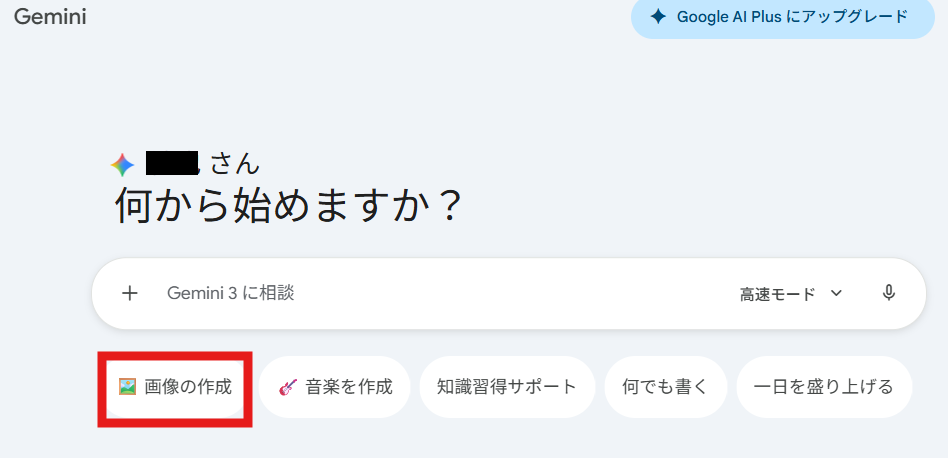
必要なものをセットしたら、後は生成するだけ。結果がこちら↓
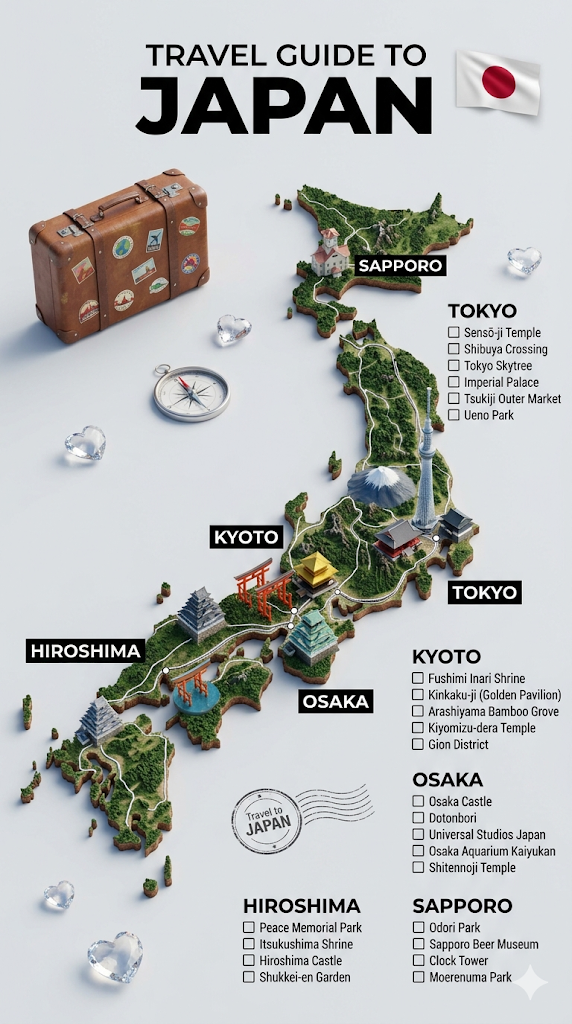
国名変えるだけでOKなの神なも…!
…でも、せっかくなら自分だけの地図も作ってみたいですよね?
そう思って、ちょっとしたアレンジも用意しました。先ほどとほとんどやることは変わりません。プロンプトの直前に「ちょっとした国の設定」を書くだけです。
プロンプトのアレンジ
Please analyze the provided materials, prioritizing the most recent content, to grasp the overarching worldview, lore, and narrative context. We will refer to this setting as [COUNTRY]. Please retain this combined knowledge as your active context for the following tasks. No confirmation response is needed at this stage.
A hyper-realistic 3D travel guide infographic poster for [COUNTRY]. The country shape is rendered as a raised, textured terrain map floating on a clean light gray surface. Iconic landmarks are placed as miniature 3D sculpted models at their correct geographic locations across the map — each one highly detailed and photorealistic. Roads or railway lines connect key cities as white paths across the terrain. Around the map, floating 3D decorative props related to travel are scattered: a vintage leather suitcase with travel stickers, a compass rose, crystal heart charms, and a postage stamp seal reading “Travel to COUNTRY.” The national flag of [COUNTRY] is shown as a small realistic folded flag in the upper right corner. Each major city has a bold black label on the map, and beside the map, each city has a neat checklist of its top attractions in clean sans-serif typography. A large bold title at the top reads: “TRAVEL GUIDE TO “COUNTRY”” in black uppercase typography with the word [COUNTRY] in heavy bold. The overall aesthetic is premium editorial travel content — soft studio lighting, photorealistic 3D render, white/light gray background, clean layout.
筆者の場合は、シンナモたちの立ち絵と、今までの記事で出てきた設定を添付しました。
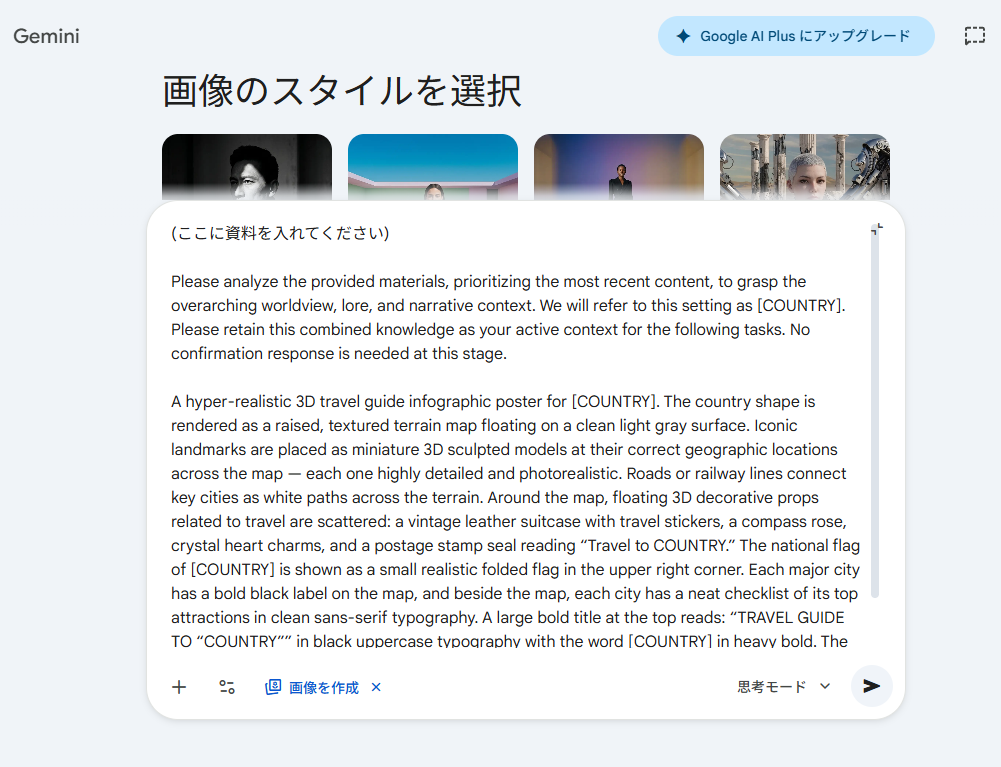
準備万端。いざ生成してみると…
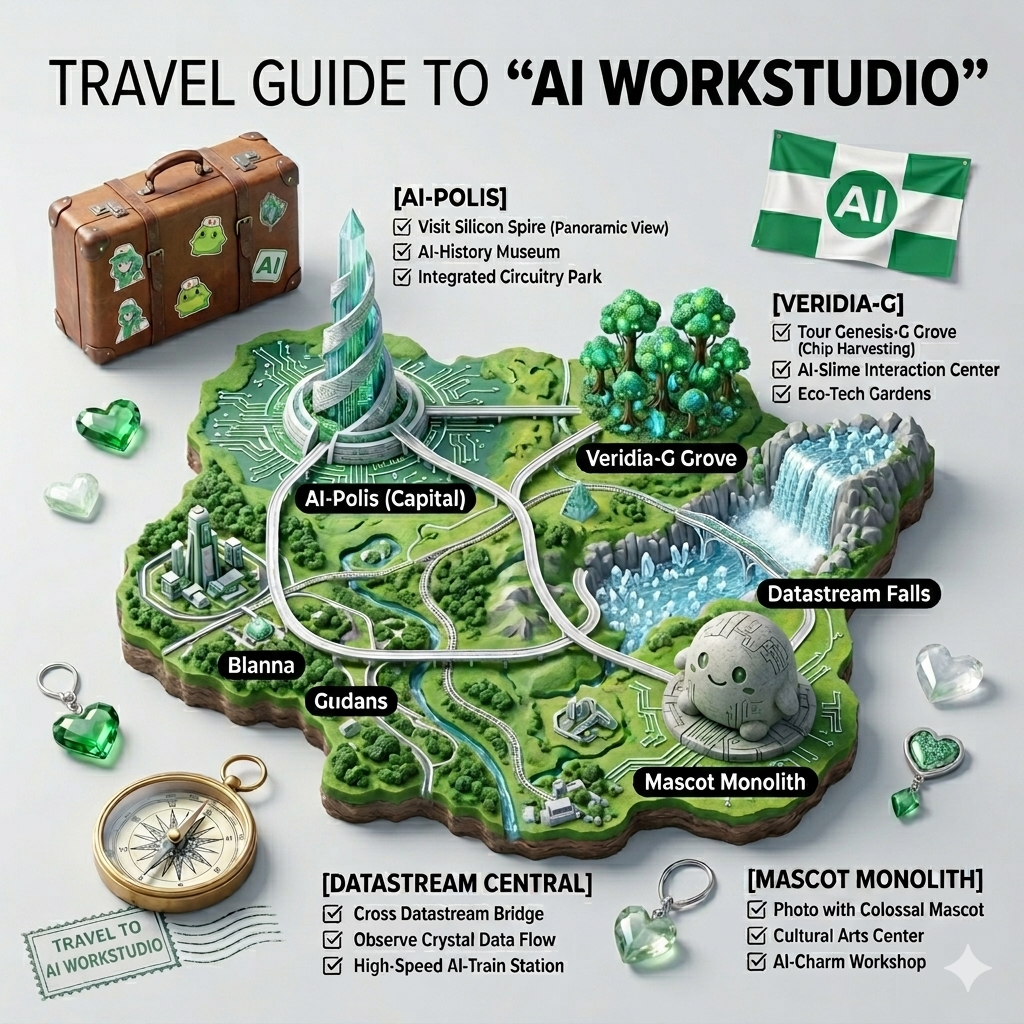
なんと、自分だけの3D地図を作れちゃいました!
なんと、ちゃんとシンナモのオブジェまであります!

想像が形になるって最高だも!
まとめ
今回ご紹介した3D地図プロンプトは、言葉だけでここまで完成度の高いビジュアルが作れるのかと驚かされる内容でした。
シンプルな構成ながら、しっかり“見て楽しい地図”に仕上がるのが魅力ですね。
NanoBanana2を使えば、特別なスキルがなくても誰でも再現できます。
ぜひ好きな国やテーマで、自分だけのガイドマップを作ってみてください。
自分だけの地図を作ってみたいだも!

こっちの記事ではNanoBanana Proを使って日本中を旅する方法を紹介してるなも!併せて見るともっと楽しいなも!