こんにちは!AIプロンプトに飢えている筆者です!
今回はXで流れてきた「参戦祭り」のテンプレを見て、
「これ、シンナモ&擬人化シンナモでやったら絶対かわいいやつでは?」と思って、Nano Banana Proで試してみました。
Nanobanana Proはこちらからhttps://gemini.google.com/app?hl=ja
※この記事のテンプレとプロンプトは、Xで共有されていたものをお借りして使っています。テンプレ作者さまに感謝しつつ、ここでは「実際に作れた手順」と「うまくいった設定」をまとめております。
Nano Banana Proってなに?
NanoBanana Proは、Google Gemini3の画像生成機能のひとつで、画像生成を日本語でも試しやすいのが魅力。
プロンプトでの指示に加えて、参照画像(元画像)を一緒に投げることで「キャラを崩さずに別の演出にする」のも得意です!
(画像はGoogle Gemini公式サイトをキャプチャーしています)
画像生成ならNanobanana Proにお任せなも!
Nanobananaについて詳しく知りたい方はこちらをご参照くださいなも!
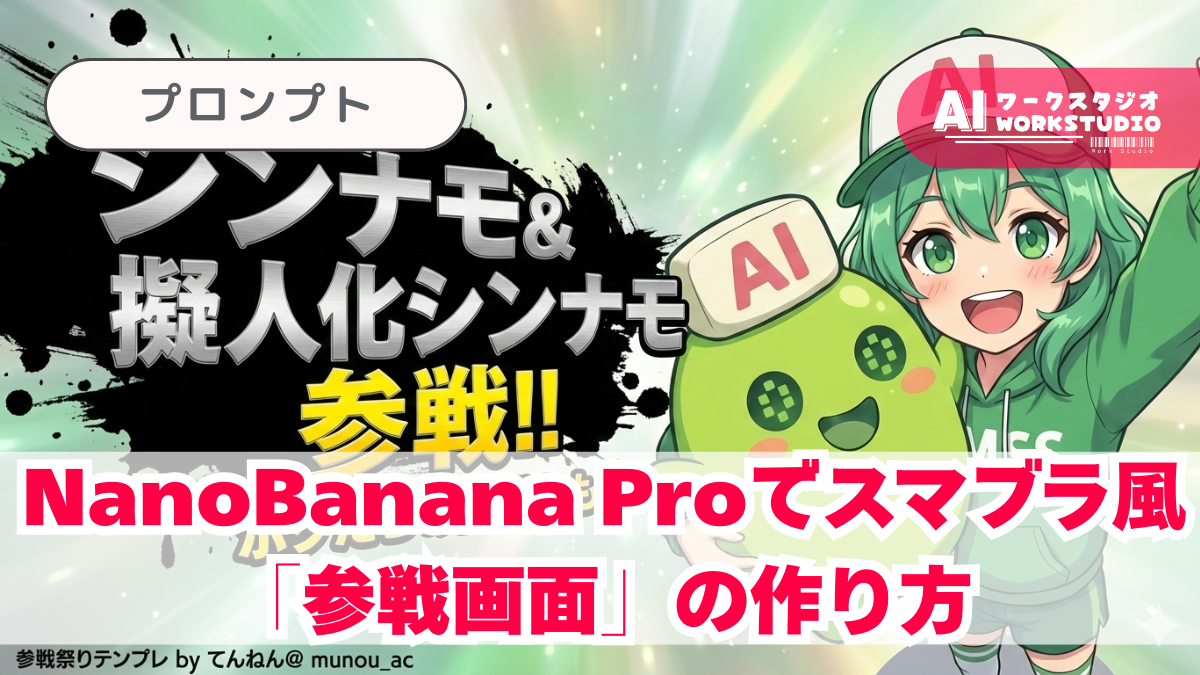
今回やりたいこと:スマブラ風「参戦画面」を作る!
今回の目標はこんな感じ👇
- 参照画像のキャラはそのまま(色・服・顔・帽子など保持)
- 背景は抽象的な光やグラデでそれっぽく
- 左側にド派手な文字「参戦!!」+キャラ名
- インク飛沫(黒)で“参戦感”を出す
作り方:実際の手順(超シンプル)
- Geminiを開く
- ツールから 画像生成 を選ぶ
- 参照画像を添付(これがあるとAI側にキャラクターを指定させやすいです!)
- 下のプロンプト(テンプレ)を貼る
- 生成 → うまくいったら保存!
今回はこの画像を使って参戦画面を作ってみます!
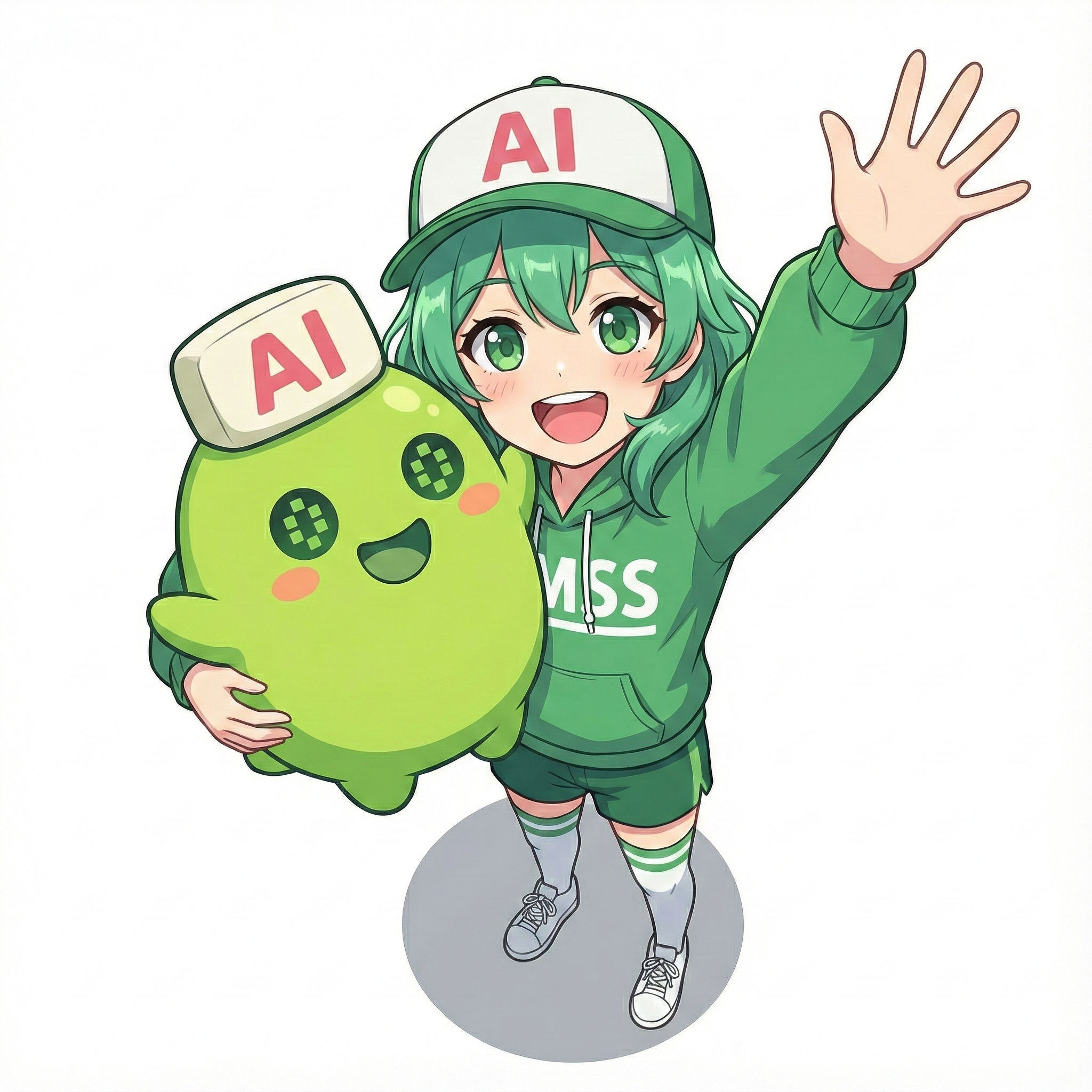
(画像はNanobanana Proで生成しております)
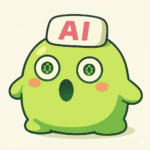
僕達があのゲームに参戦なも!?
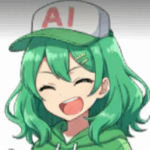
早く試してみたいなも!
テンプレを使ったプロンプト(コピペOK)
下は、ポスト元でも紹介している「横16:9・バストアップ版」のプロンプトです。
キャラ名やセリフ部分の差し替え色んなキャラクターで使えます。
# 参戦画面(横16:9 / バストアップ)2キャラ固定:シンナモ&擬人化シンナモ
layering:
  order:
    - text_layer
    - character_layer
    - background_layer
  strict: true

references:
  A: "Single reference image that already contains BOTH characters together. Preserve exactly."

subject:
  description: >
    Preserve BOTH characters exactly as in reference A as a single locked pair.
    Keep all facial features, colors, hairstyle, clothing, logos, and proportions.
    MUST keep: 'AI' on both caps and 'MSS' on the hoodie if visible in the reference.
    No redesign, no reinterpretation, no face swap, no outfit change.
  framing: >
    Bust-up composition (head to upper torso) for BOTH characters together.
    Keep BOTH faces fully visible and readable. Do NOT hide the mascot behind the girl.
  integrity: full_identity_preservation
  detail_level: ultra_high_resolution
  micro_details: preserve_edges_text_logos_fabric_details

composition:
  aspect_ratio: "16:9"
  layout: >
    Place the character pair on the RIGHT side, large and prominent.
    Place headline text on the LEFT side.
    Keep a clean text-safe area and do NOT overlap text with faces or caps.
  emphasis: >
    Strong presence on both characters' expressions and upper bodies.
  visibility_rules: >
    Ensure the mascot (Shinnamo) is at least 70% visible and not occluded.

action:
  description: >
    Minimal motion enhancement. Maintain the reference pose and relationship.
    Add subtle dramatic energy via lighting and background streaks only.

location:
  description: >
    Simple abstract background inferred from the reference mood:
    soft gradients, atmospheric glow, light particles, abstract rays.
    Avoid complex textures or any copyrighted shapes.
    Background must NOT contain any characters, silhouettes, faces, bodies,
    or blurred forms derived from the subjects.
  background_feel: subtle_atmospheric_clean
  allowed_elements: pure_color_gradients_light_abstract_shapes_only
  prohibit_subject_reuse_in_background: true
  forbid_subject_in_background: true
  background_must_be_nonfigurative: true

style:
  visual_style: >
    High-impact reveal-splash aesthetic with strong contrast between characters and headline.
  text_effects: >
    Metallic, high-energy lettering with pronounced depth and perspective. No glow effects.
  character_rendering: >
    Extremely high-resolution rendering with sharp facial details, clean hair definition,
    precise edges, and crisp texture fidelity. No blur, no smear.
  background_style_rules: >
    Background must be purely non-figurative. No silhouettes, no blurred shapes,
    and no reused subject elements.
  ink_splash_rules: >
    Ink splash must be pure black only. No other colors, tinting, blending, or variation.

camera_lighting:
  camera_angle: from_reference
  lighting: >
    Enhance with dramatic key lighting and subtle rim highlights to emphasize the reveal.
  clarity: maximum_definition

colors:
  palette: >
    Background colors inferred from the reference image.
    Character name in metallic silver; announcement text in saturated yellow.
  mood: dramatic, heroic, high_energy

text:
  announcement_fixed: "参戦!!"
  character_name: "シンナモ&擬人化シンナモ"
  catchphrase: "ボクたちの出番なも!"
  placement: left_side_of_character
  stacking: >
    Line1: "参戦!!" (largest)
    Line2: character_name (medium)
    Line3: catchphrase (small, optional)
  perspective: >
    Pronounced perspective: front surface larger, back tapered with visible extrusion.
  character_name_style: >
    Metallic silver, brushed-metal texture, subtle bevel, no glow.
  announcement_style: >
    Yellow fill, thick black outline, soft white inner edge.
  catchphrase_style: >
    Yellow fill, thick black outline, keep it short and highly legible.
  ink_splash:
    color: pure_black
    restrict_to_color: pure_black_only
    shape: ink_brush_texture
    placement: behind_text_only
    no_color_variation: true

signature:
  content: "Prompt by てんねん@ munou_ac"
  position: bottom-left
  font_color: white
  font_size: small
  opacity: 0.9
  layering: text_layer

edit_instructions:
  background_layer: >
    Generate the background first as a clean, abstract inferred color field.
    It must contain no character shapes, silhouettes, or blurred forms.
  character_layer: >
    Render BOTH characters on top with perfect fidelity to reference A.
    Keep BOTH faces visible; do NOT let the girl occlude the mascot.
    Preserve readable text/logos: 'AI' on caps and 'MSS' on hoodie.
  text_layer: >
    Render headline text as the topmost layer above the characters.
    Apply pure black ink-splash behind the text only.
    Render the signature bottom-left on the same top text layer.
  enforce_layer_order: true
  preserve_character_fully: true
  crop: bust_up
  enhance_character_details: true
  preserve_texture_fidelity: true
  no_glow_on_character_name: true
  enforce_black_ink_splash: true
  forbid_nonblack_ink_colors: true
  forbid_subject_in_background: true
  forbid_blurred_character_in_background: true
  background_must_be_nonfigurative: true
  background_cannot_reference_or_reuse_subject: true

extras:
  quality: ultra
  resolution: 4k
  fidelity: high
  sharpness: maximum
  output_intent: reveal_splash_16x9_two_characters
ちょっと補足:キャラの指定はどうやるの?
今回、シンナモの画像はプロンプトの中に貼り付けるんじゃなくて、画像生成画面で“参照画像”として添付して指定します。
つまり、「画像を先に入れてから、プロンプトを送る」が正解です。
手順はこれだけ(迷ったらこの順番)
- Gemini3で±ボタンをクリック
- 入力欄にある「ファイルをアップロード」をクリック
- 参戦させたいキャラクター画像をアップロードする(アップロードした画像がそのまま参戦画面で使用されます。)
- その下(同じ入力欄)に、記事で紹介したプロンプトをコピペ
- 送信 → 参戦画面が生成される!
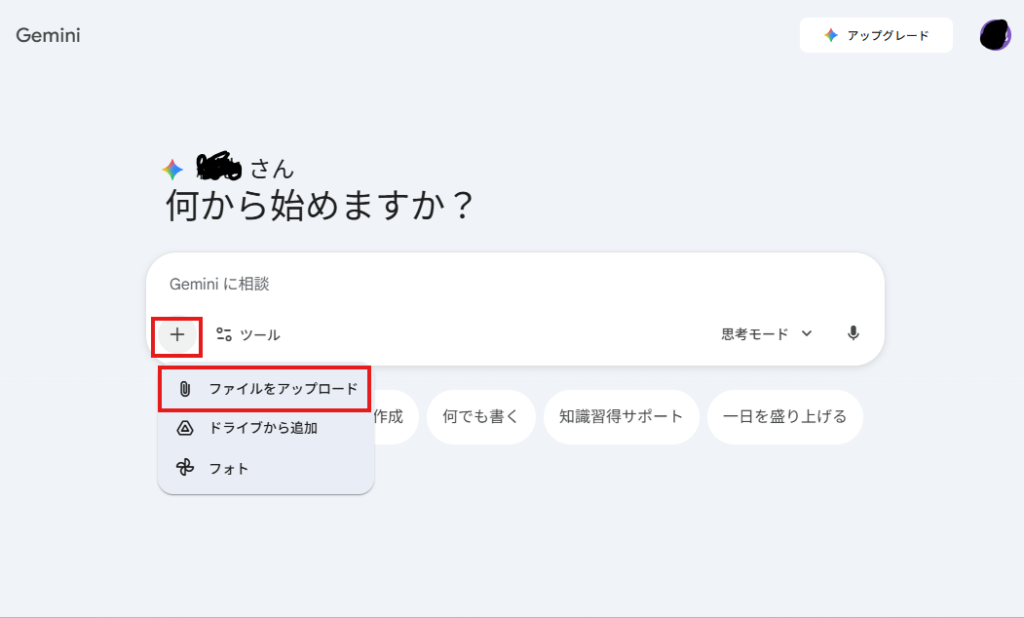
(画像は筆者PCのNanobanana Proをキャプチャーしています)
ここがポイント
✅ 下記の2つが揃って、初めて「キャラを崩さず参戦画面化」ができます
✅ 画像添付=“このキャラで作ってね”の指定
✅ プロンプトの方で “参戦画面っぽい演出にしてね”の指示
シンナモ達があのゲームに!?スマブラ風「参戦画面」が完成
実際に生成してみたら、想像以上に“それっぽい”参戦画面になりました。
シンナモ&擬人化シンナモの2キャラ構図でも、横16:9のバストアップ構図に寄せることで、キャラが隠れずにしっかり収まります。
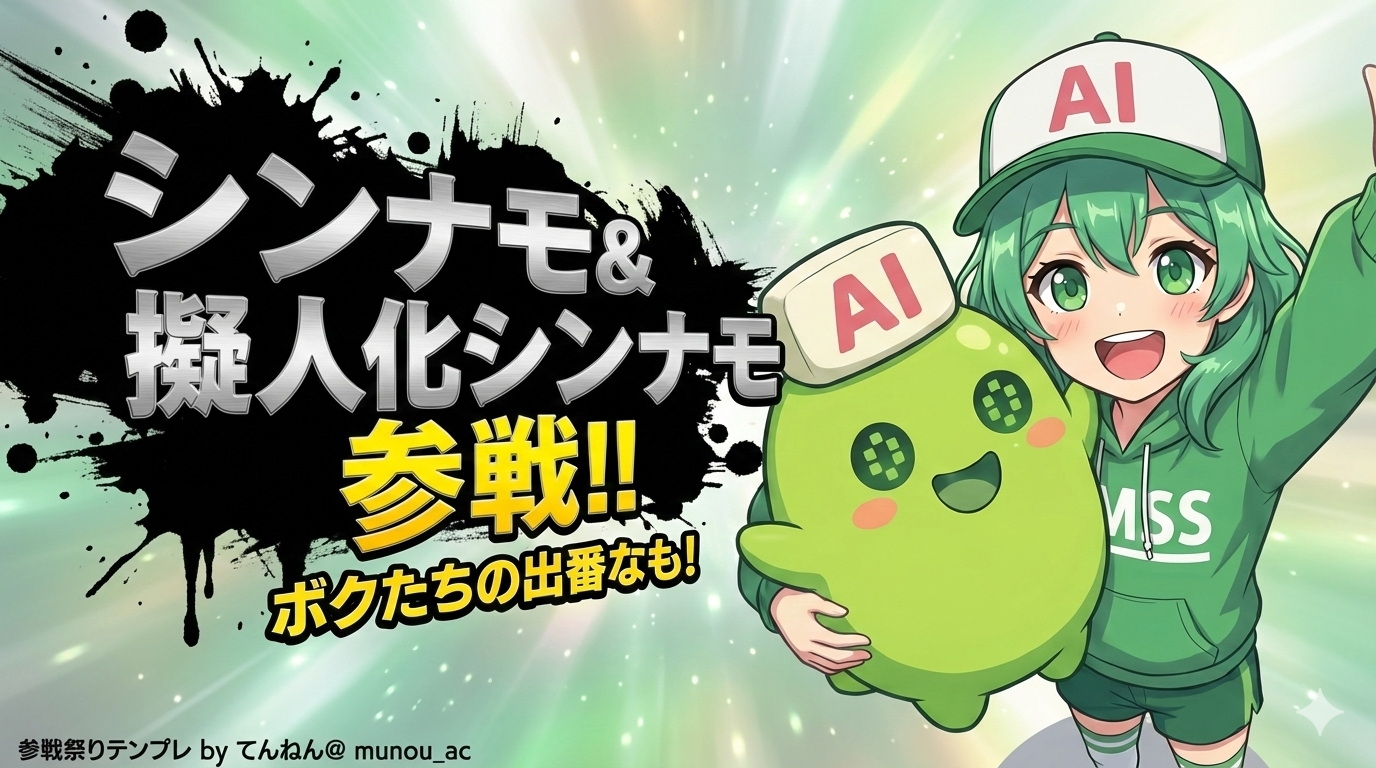
(画像はNanobanana Proで生成しております)
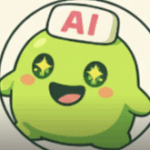
凄いなも~!僕達が参戦なも~!
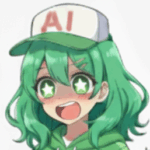
ボク達二人なら、誰にも負けないなも~!
まとめ:参戦祭りであなたのキャラも参戦してみよう!
今回はテンプレをお借りして、シンナモ達の参戦画面を作ってみました!
改めて、テンプレを公開してくださったユーザー様に感謝申し上げます。
テンプレをお借りしつつ、参考画像一枚だけで簡単に作れたので、
気になった人はぜひ自分のキャラでも試してみてください!
合わせて読みたい
ここまで記事を読んでくれてありがとうなも!参戦祭り、みんなも試してみてなも!
下記記事では、シンナモ達がキラキラステッカーに!?Xで話題のプロンプトを試してみたなも!こちらも是非、チェックお願いしますなも~!